University IT Services logo

Getting Started with the Teaching Portal

Gemini_Generated_Image_86pec686pec686pe.jpeg

The Teaching Portal supports you throughout your journey at Politecnico di Torino. Here you will find the information you need to attend your courses, along with the tools to manage your academic career.


When you log in for the first time, take a few minutes to complete these activities.

Immagine
Screenshot 2026-09-07 alle 14.12.41.png

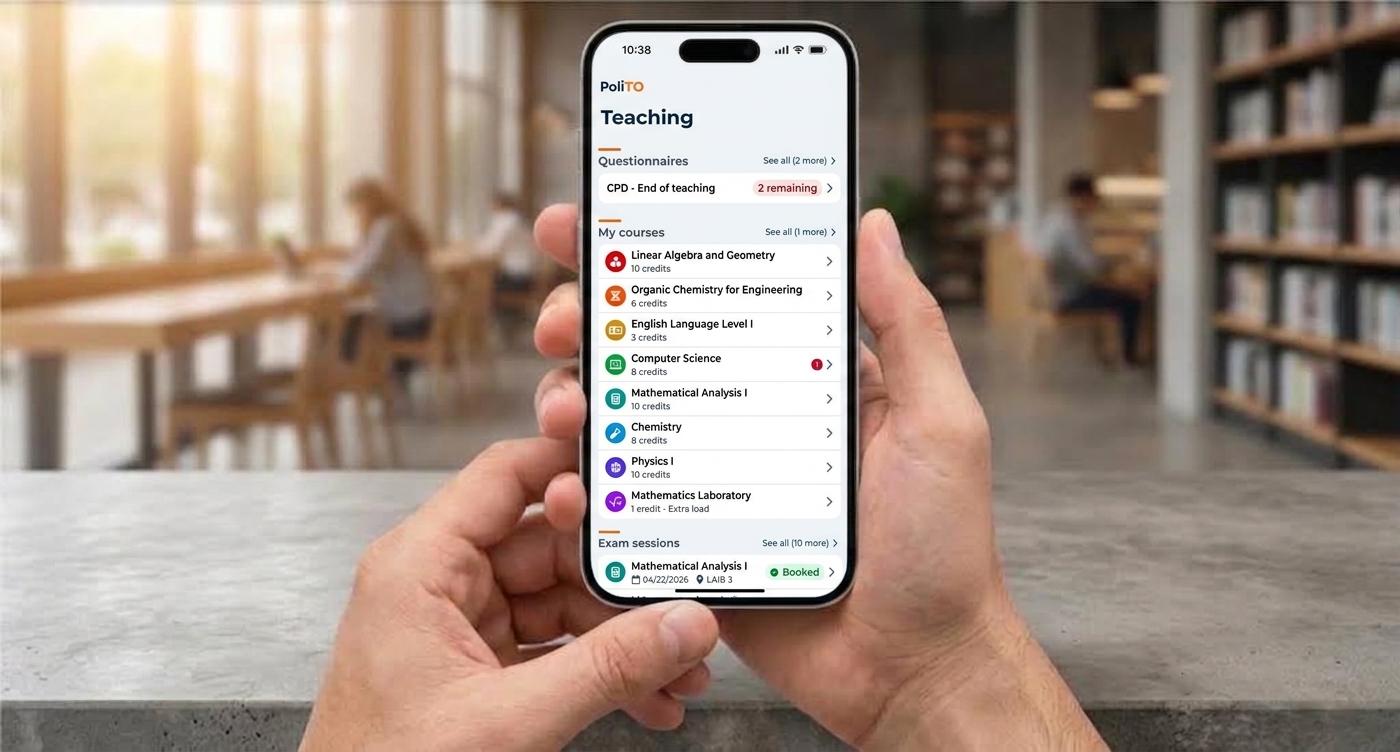
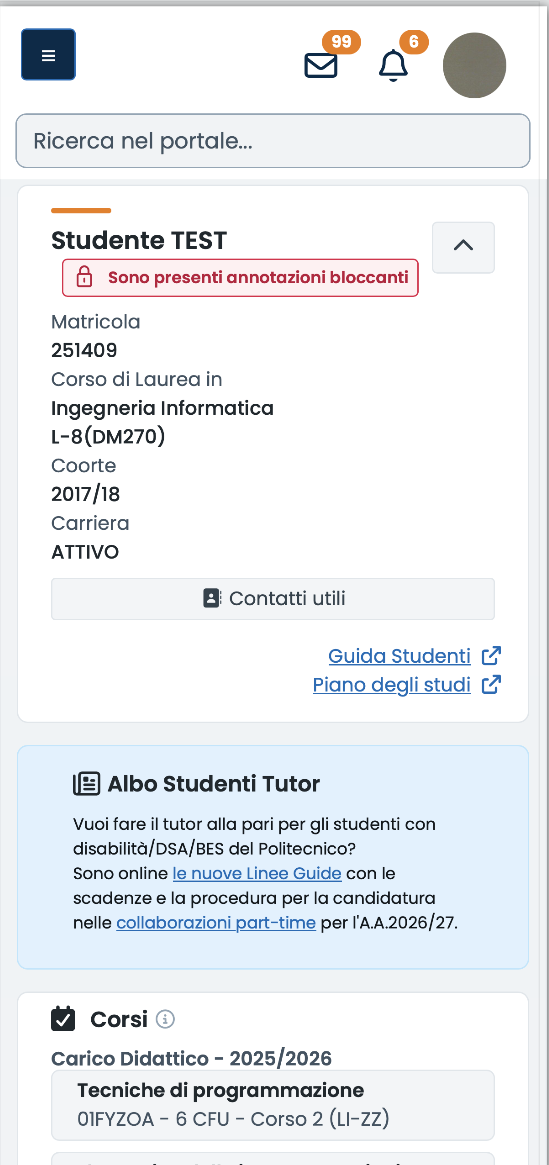
The Home page is your personal dashboard. Check your degree programme details and any notes, then review the courses in your study load, your calendar, and notifications. From here, you can also view scheduled exam sessions, online activities, recent materials, and active questionnaires.


Immagine
Screenshot 2026-09-07 alle 14.13.18.png

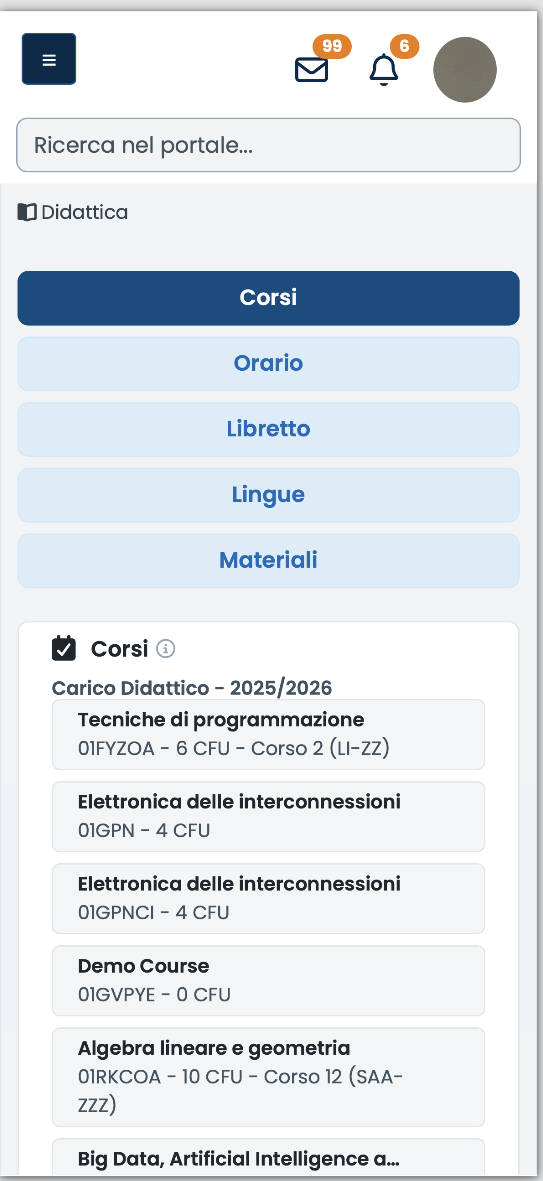
This is the area you will use most often. Here you will find, among other things:

  • Courses, where you can access the courses in your study load, their dedicated pages, and available exam sessions.
  • Schedule, where you can check your weekly class timetable.
  • Academic Record, where you can review grades, credits, and your academic progress.

The page for each course, which you can access from your study load, is the main reference point for course activities and the primary digital point of contact with the instructor. Here you can find teaching materials, video lectures, announcements, and other resources or communications related to the course.


Immagine
Screenshot 2026-09-07 alle 14.13.36.png

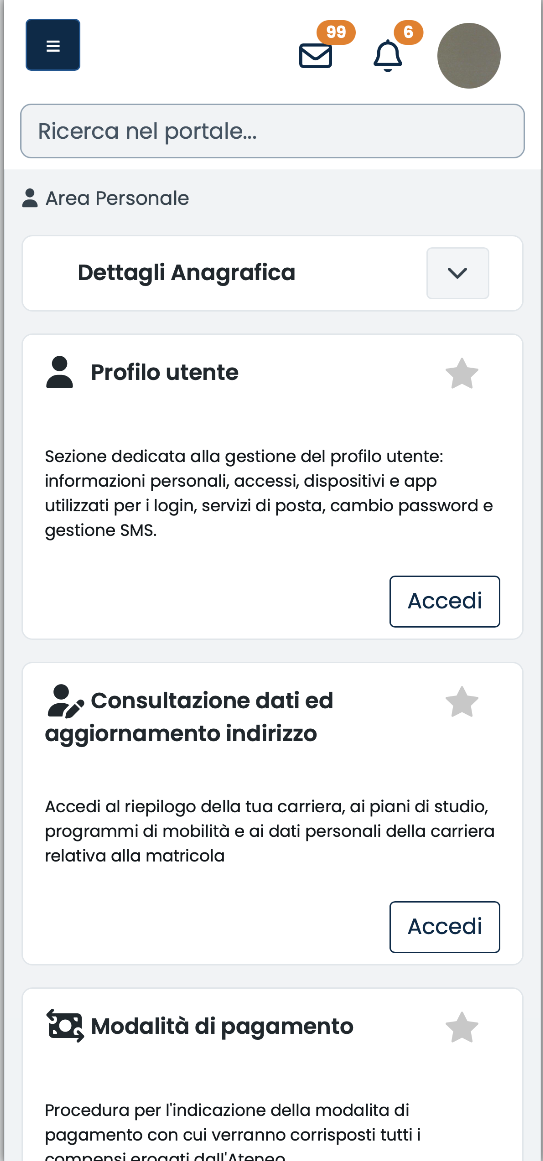
In the Personal Area, you can view and update your contact details and access the administrative functions associated with your profile, such as financial statements, payment methods, language certifications, and services for specific needs.

Immagine
Screenshot 2026-09-07 alle 14.14.01.png

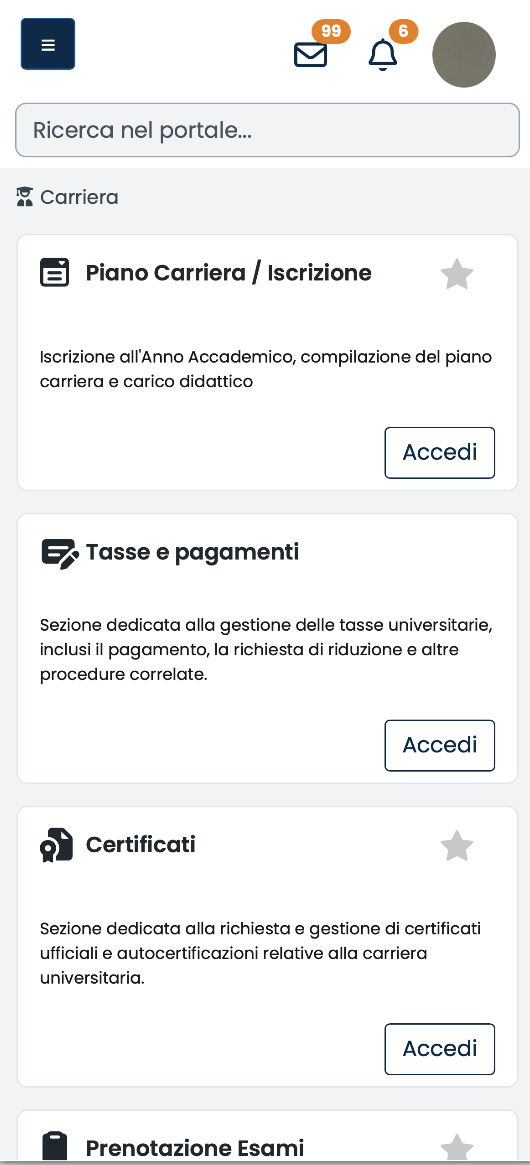
In the Academic Career section, you will find the procedures that support you throughout your academic journey: study plan and enrolment, tuition fees and payments, certificates, exam registration, attachments, programme transfers or changes, and, where applicable, thesis and final examination.

Immagine
screenshot portale della didattica

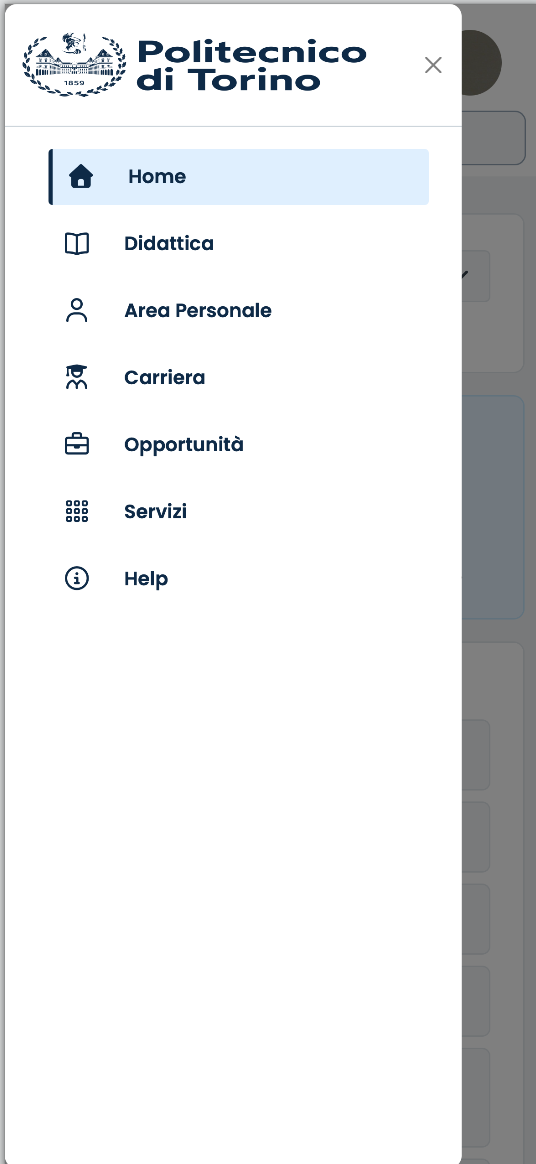
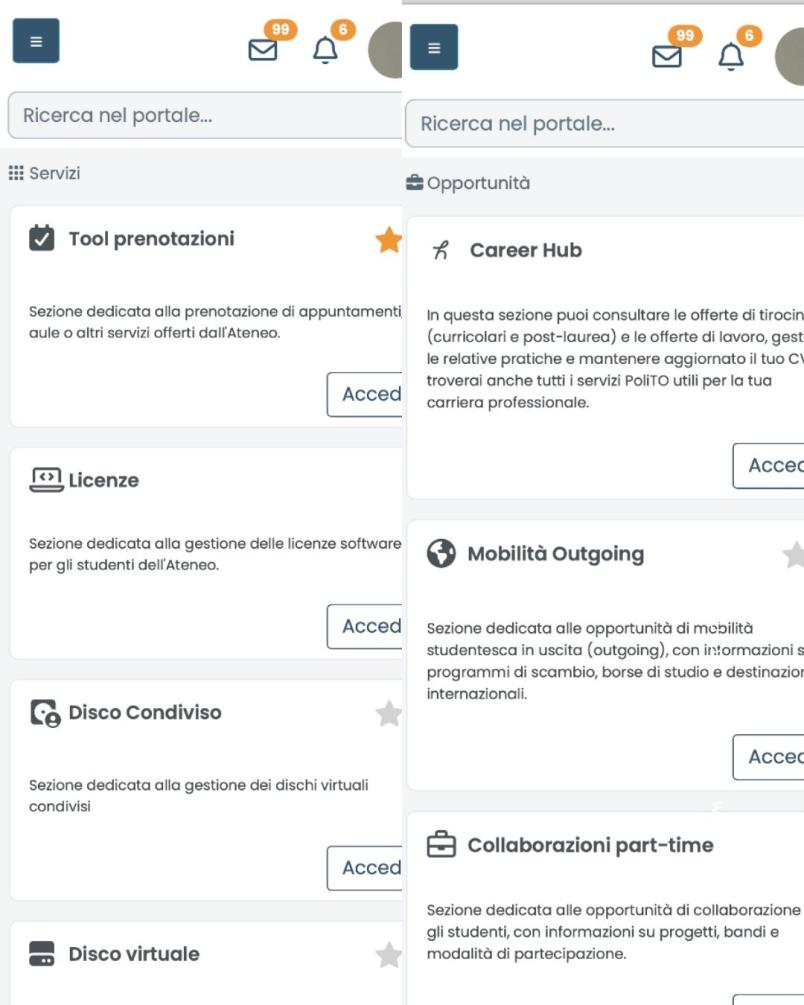
The Opportunities, Services, and Career Hub sections bring together international mobility opportunities, part-time collaborations, student teams and associations, scholarships and initiatives, software licenses, booking tools, internships, and job opportunities.

Immagine
Screenshot 2026-09-07 alle 15.47.32.png

Each academic career at Politecnico di Torino is identified by a student ID number. Each student ID is associated with a Portal account, consisting of the letter S followed by the student ID number. For example, student ID 123456 corresponds to the username S123456.
If you have two or more student IDs, you will have a separate username and personal page for each academic career. You can access the different pages by logging in with the corresponding username.

Your password, however, is unique and shared across all your accounts: if you change it using one of your usernames, the change will automatically apply to all your other accounts.

You may not see some of the features described on this page in your personal area. This is normal: the Portal only displays the features available for your profile and the stage of your academic career.

Who it is intended for

 
Immagine
icona studenti

Students